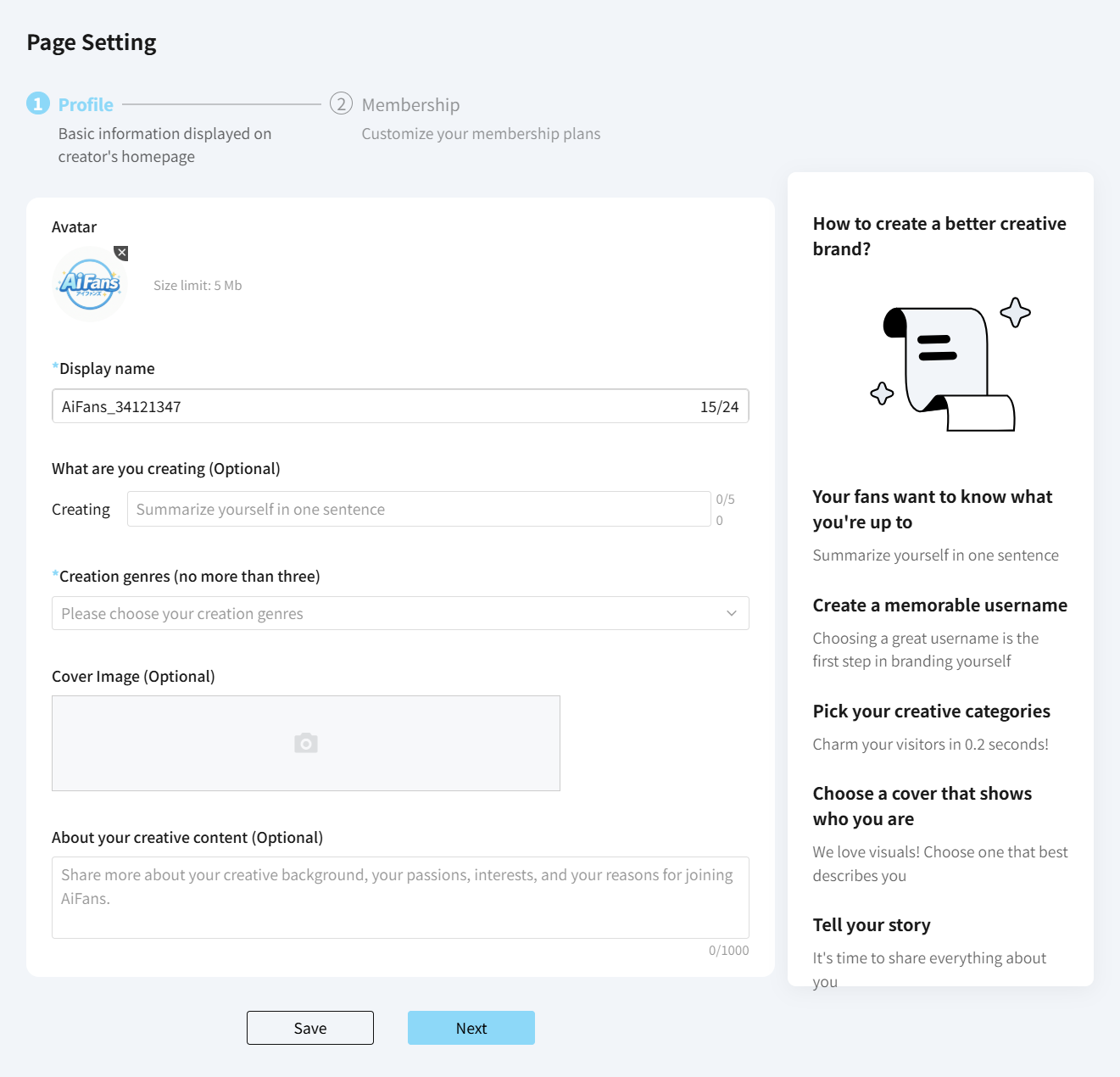
After signing up, you must complete your creator profile and set up your first subscription plan to launch your creator homepage.
1. Creator Profile
Display Name: Choose any name you like. Creator display names do not need to be unique.
Creation Category: Select your primary genre so fans can easily discover your content across our platform search and tags.
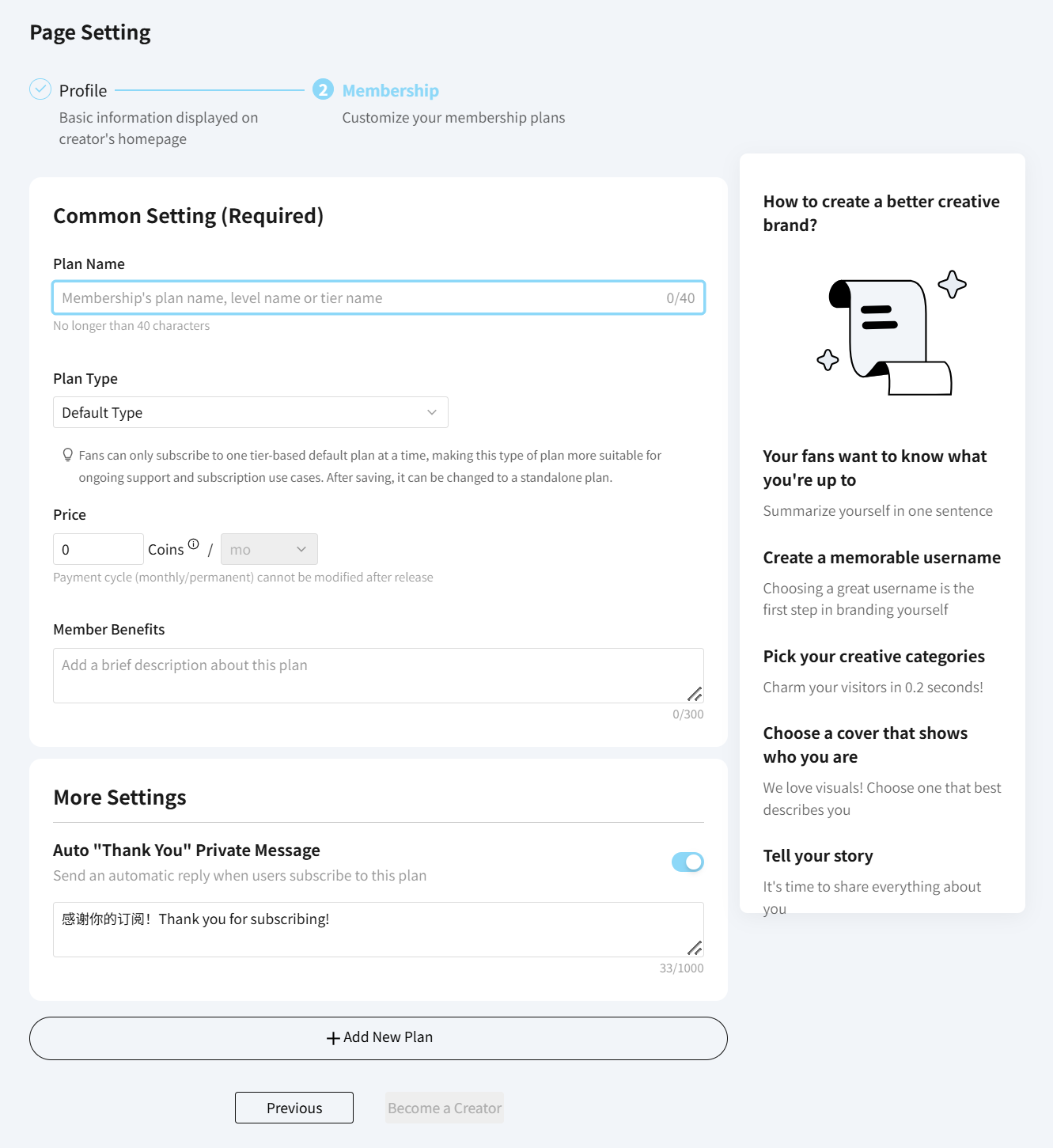
2. Subscription Plans
Plan Name & Type: Choose a title for your plan and select a subscription type.
Tier Subscription (Default): Recurring monthly support with tiered rewards.
Standalone: One-time or project-based support.
Free Plans: Leave the price at 0 coins to offer a free tier.
Welcome Message: You can set an automatic direct message (DM) that will be sent straight to a fan's inbox upon joining. (Note: No email notification is sent for new subscriptions).
To add more tiers, click Add New Plan, or simply click Become a Creator when you are ready to launch your page.